
Custom Travel Itinerary! WeChat/WhatsApp: +8613811531028
The Chinese Embassy in the United States has officially launched the Chinese visa application system to provide more convenience for foreign citizens to apply for visas to China. Applicants in the embassy consular area can use the system to register an account, fill in the visa application form online, upload application materials, and submit them to the embassy for online review, so as to grasp the progress of review and issuance in real time. Using the system to apply for a visa mainly includes three steps: registering a login account, filling in the form online and uploading materials, online review and on-site processing. Please click to jump to see the step-by-step instructions.
1. Register and log in to the account
Browser access consular.mfa.gov.cn/VISA/ (click on the link to jump) and click the [Login] button at the top right of the page
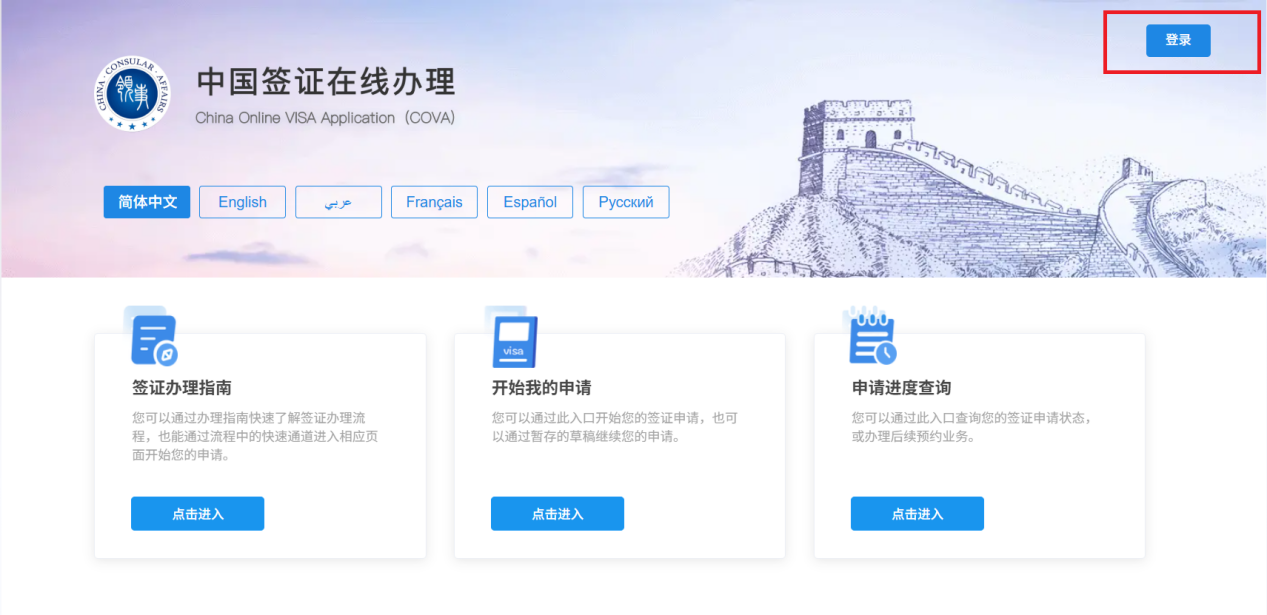
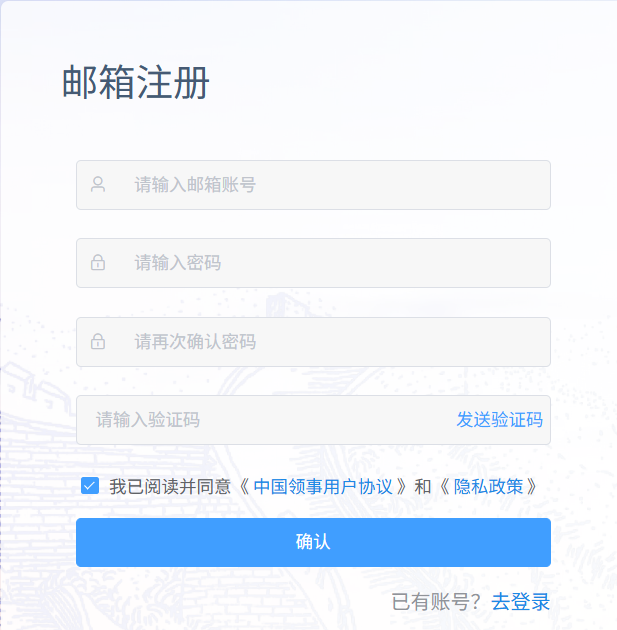
After entering the page, enter your email account to log in. If you use it for the first time, you need to enter your personal email account to complete the registration.
After logging in to your account, you can click on the [Visa Application Guide] module to view various visa processing processes and required materials, and click the [Start My Application] button at the bottom to enter the application process.
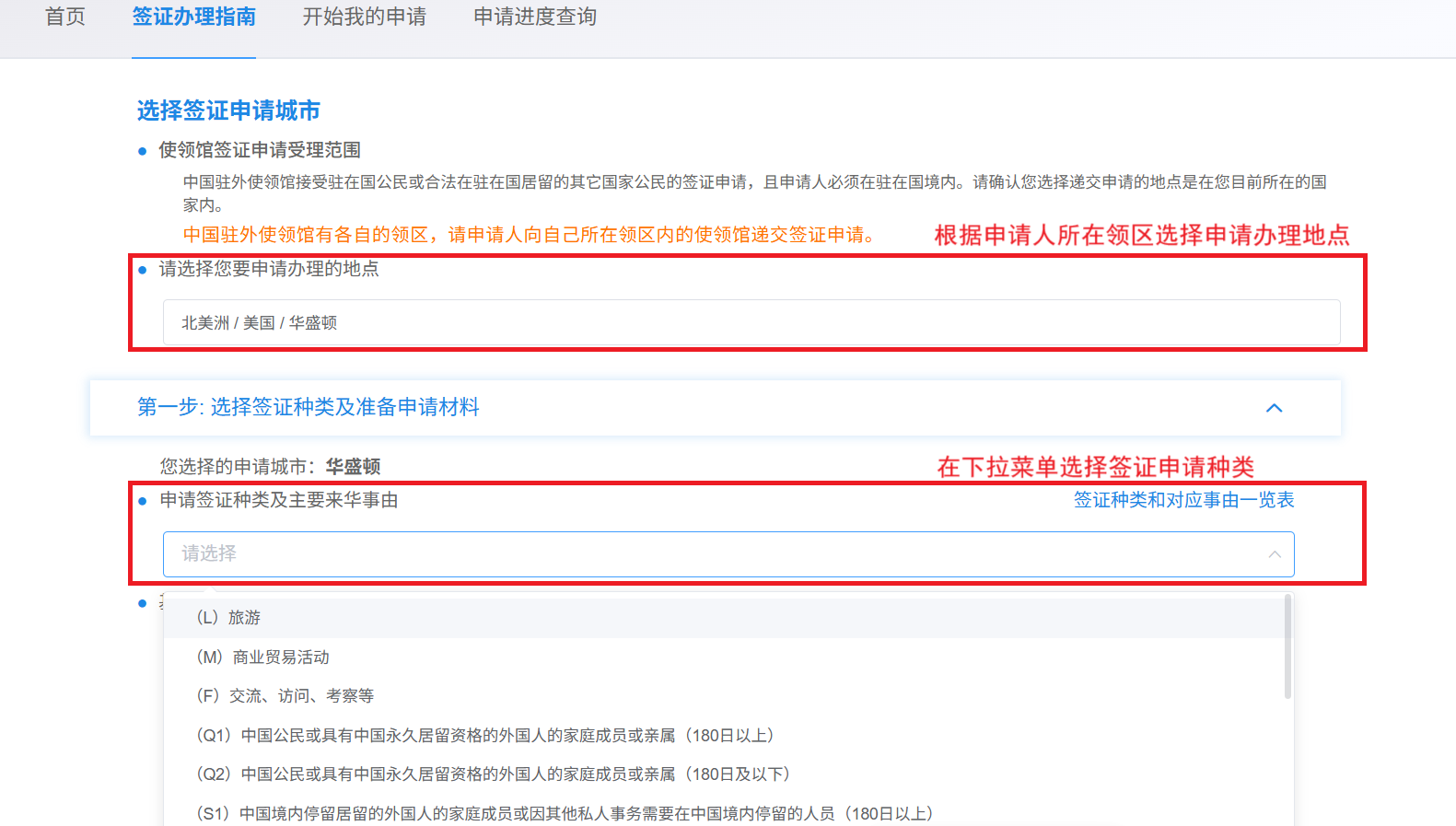
2. Fill out the form online and upload materials
请按照中国驻美使领馆领区划分(请点击链接查看驻美使领馆领区),仔细阅读“在线填表须知”和“本馆办理须知”后,开始在线填写申请信息。
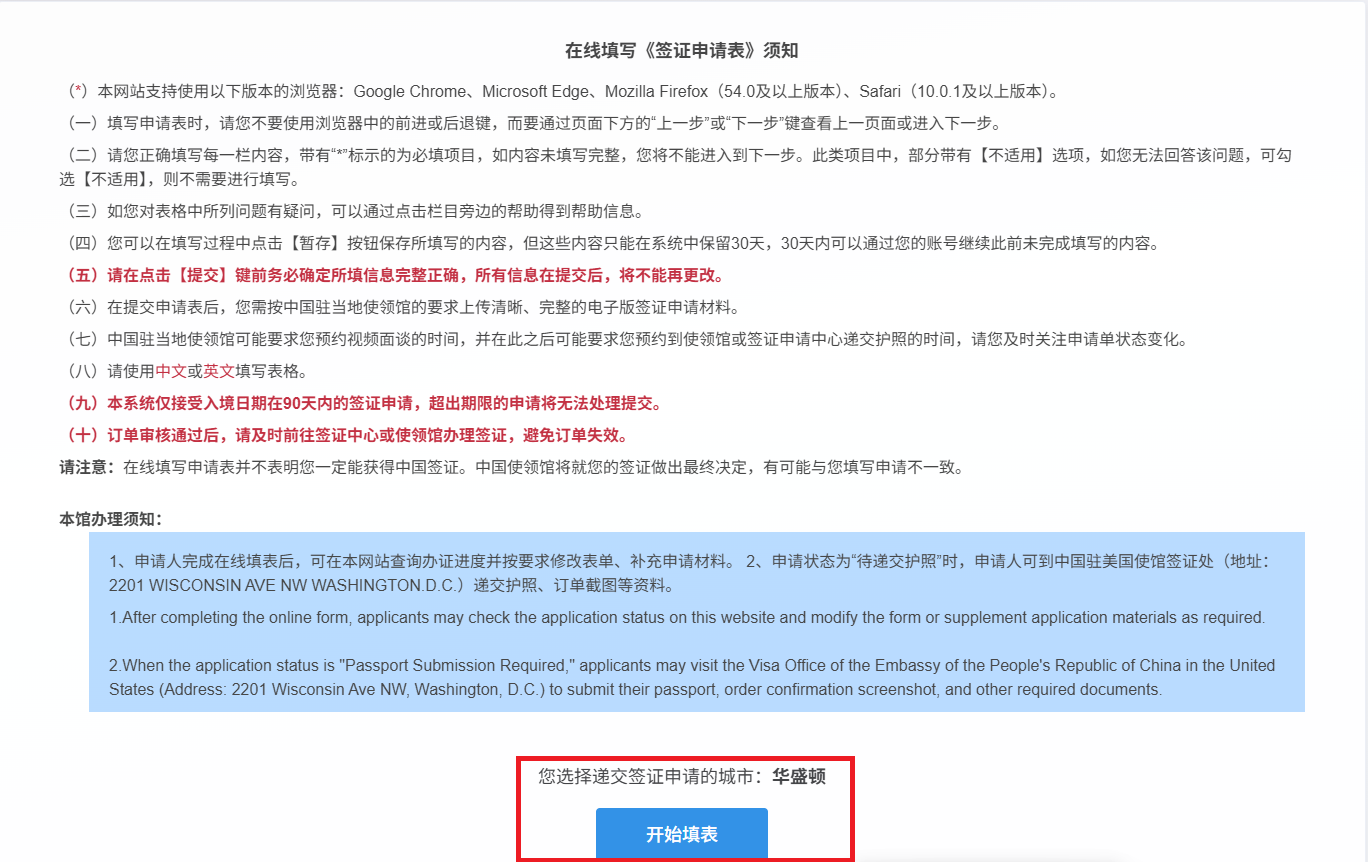
在线填表共需填写9项内容,分别为个人信息、签证种类、工作情况、教育背景、家庭情况、旅行信息、以往旅行信息、其他事项及声明。请以中文或英文按顺序填写表格,每部分必填项(以*标注)填写完毕后点击【下一步】继续填写。填表过程中支持【暂存】保存已填写内容。
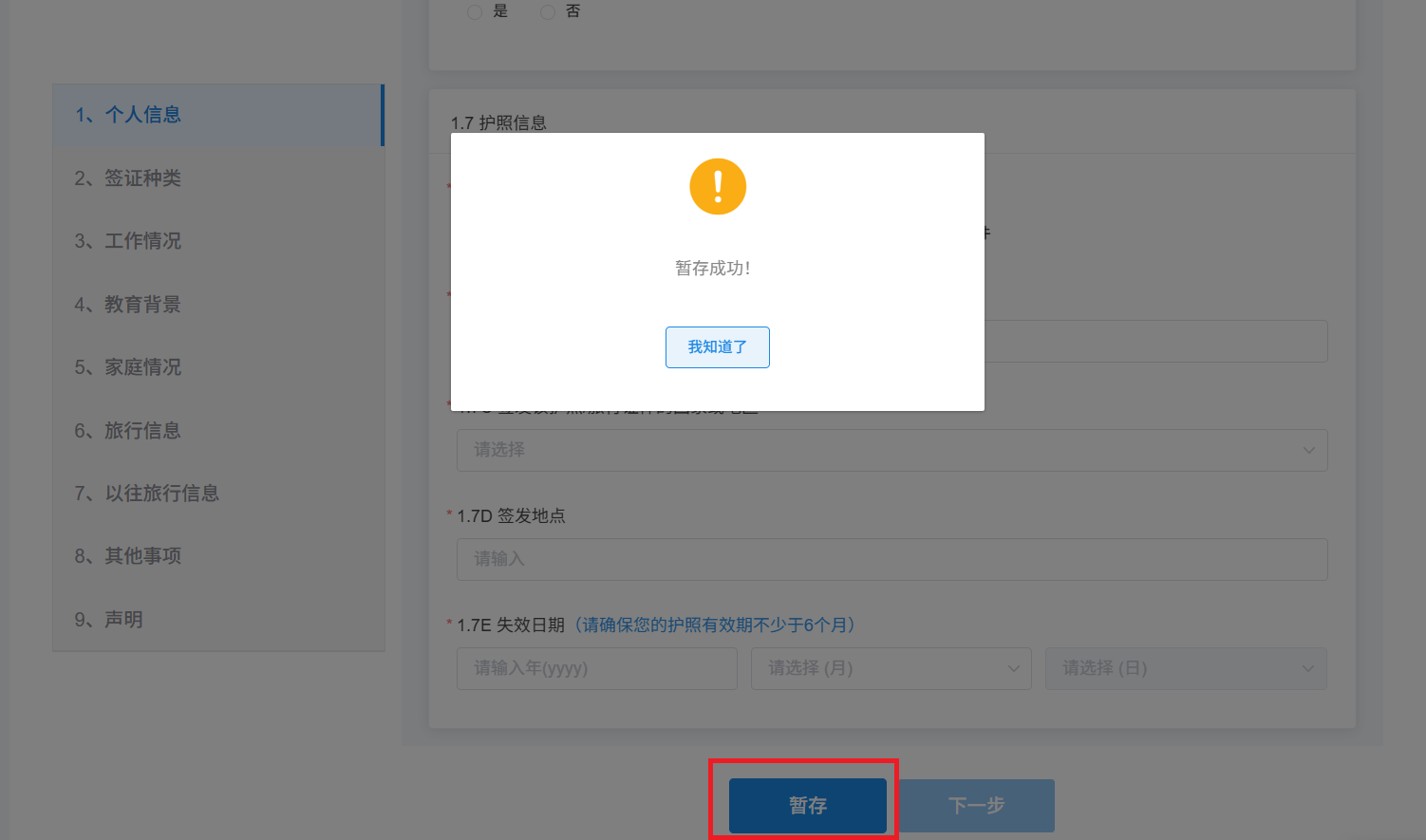
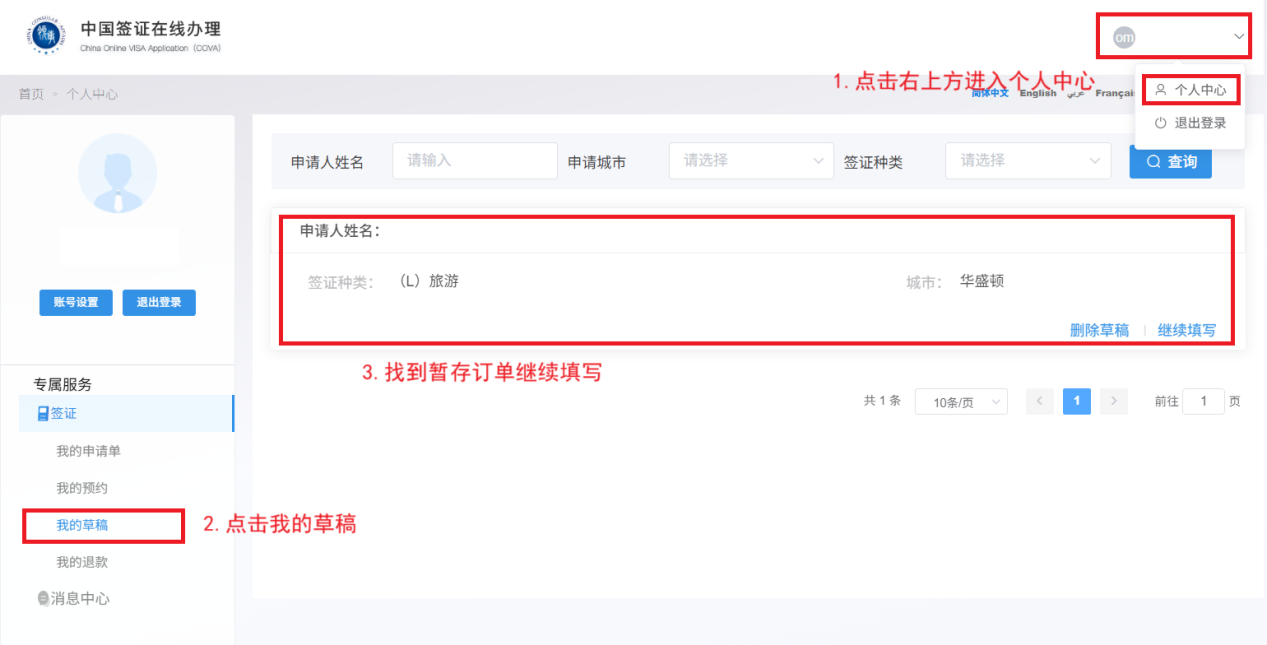
暂存的订单可在系统首页右上方点击已登录账号-【个人中心】-【我的草稿】页面中查看并继续填写。
(一)个人信息
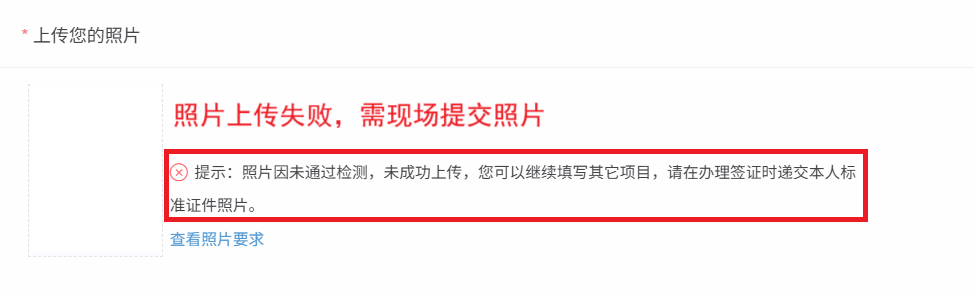
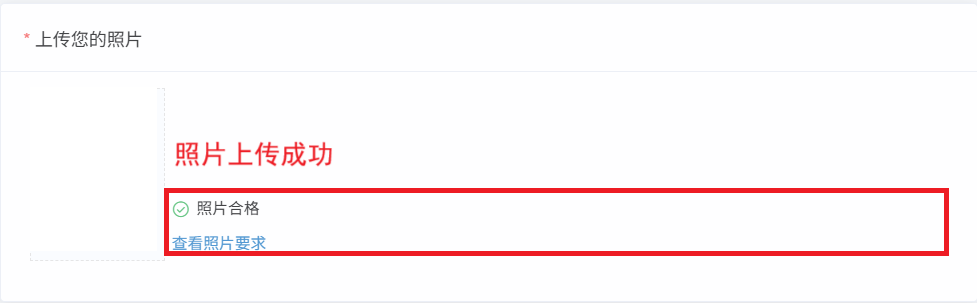
1.上传个人照片时,系统支持照片拖动裁剪并自动判定上传照片是否合格。如多次上传照片均未通过检测,可继续填写其它项目,在到馆提交时递交标准证件照片。
2.填写姓名、国籍及护照信息支持护照资料页自动识别,请核实信息准确无误后再点击确认,系统将自动填报相关信息。
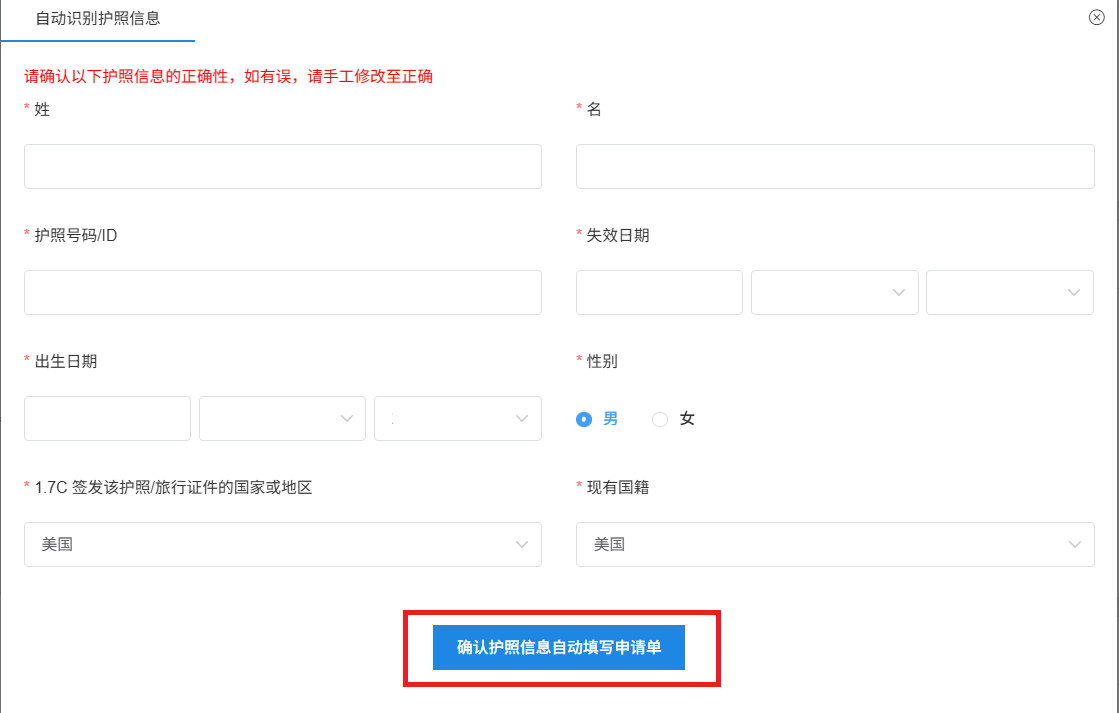
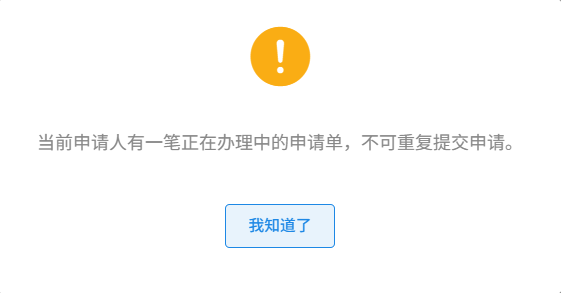
3.如系统提示有一笔正在办理中的申请单,可在页面右上方点击已登录账号-【个人中心】查看处理,或询问您的代理机构了解申请情况。
(二)签证种类
请根据赴华目的选择签证种类,按需选择“正常”或“加急”服务(加急需额外支付加急费,时间以到馆递交护照之日起算,请当面与领事官员确认服务类型)及签证申请有效期、停留期。
能否获得签证、获得何种签证、入境次数以及有效期、停留期等将由领事官员最终决定,可能与您填写申请不一致。
(三)工作情况
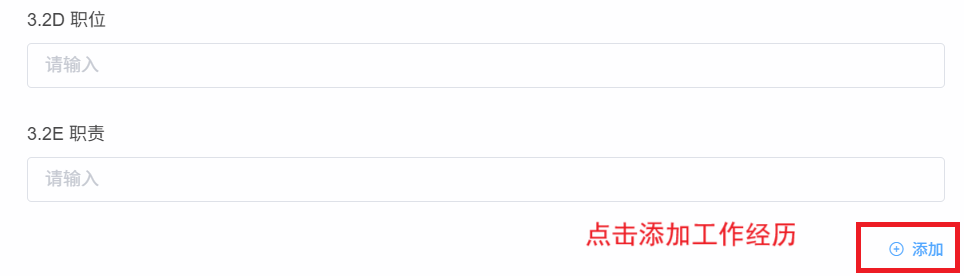
请如实填写近5年工作经历,提供完整公司/单位名称,勿填缩写简写。如近5年(曾)有多项工作履历,可点击右下方【添加】增加工作经历。
(四)教育背景
请如实填写最高学历,如有多个学历信息,可点击右下方【添加】新增教育经历。
(五)家庭情况
请如实填写,如勾选【不适用】,需输入详细说明。
(六)旅行信息
1.请根据个人旅行计划填写抵离日期和城市。请注意,系统支持未来90天内的签证申请,超出期限的申请将无法受理。
2.【6.5偕行人】信息仅指使用同一本护照的情况。如一同出行人员使用不同护照,该项请填写“否”。

(七)以往旅行信息
请如实填写以往旅行信息,主要包括是否来过中国、是否曾获得过中国签证、及过去12个月旅行情况。
(八)其他事项
请根据个人经历如实填报并提供情况说明。
(九)声明
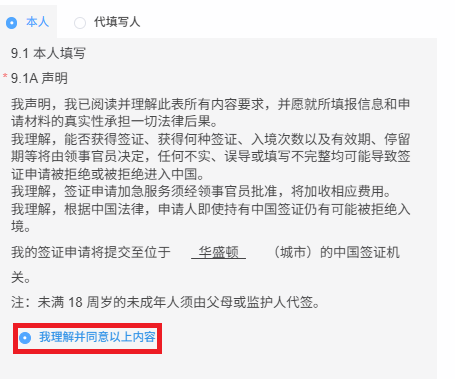
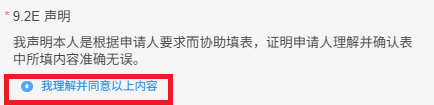
请选择填写人身份(本人或代填写人,代填写人需说明个人信息及与申请人的关系),阅读同意声明内容后勾选下方【我理解并同意以上内容】。
(十)上传材料
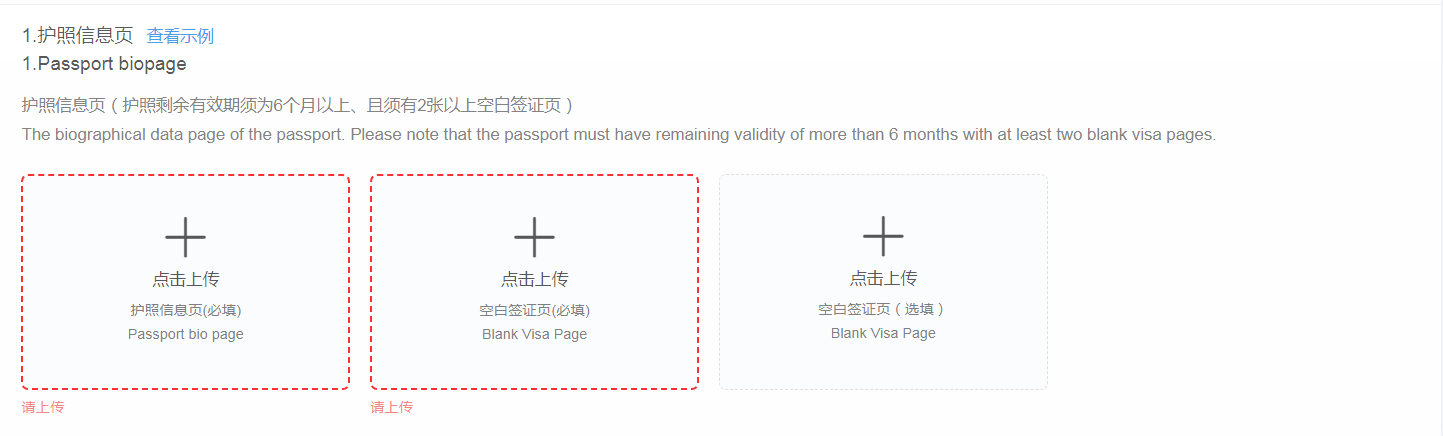
1.请按照系统要求,拍照上传相应材料(仅支持上传图片,不支持PDF等文件格式)。为加快您的办理进度,请确保上传的材料信息完整、图像清晰、光线均匀。以红色虚线框标记的材料为必填材料,请务必上传。
2.《签证办理声明书》模板可到使馆网站下载,请点击链接填写、打印后上传。
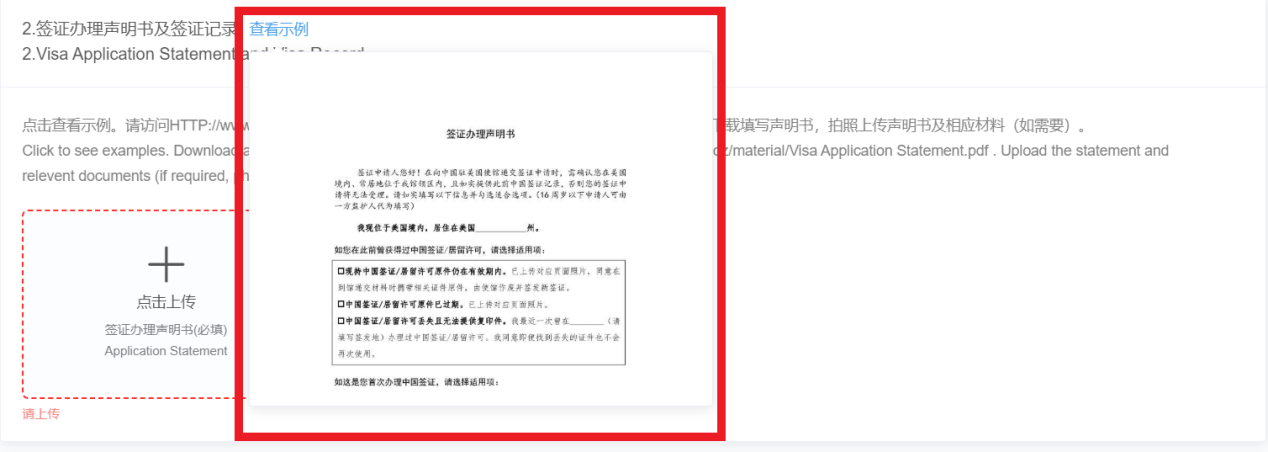
3.如申请人首次办理中国签证,曾为中国公民,或父母任意一方(曾)为中国公民,需根据个人情况上传材料。
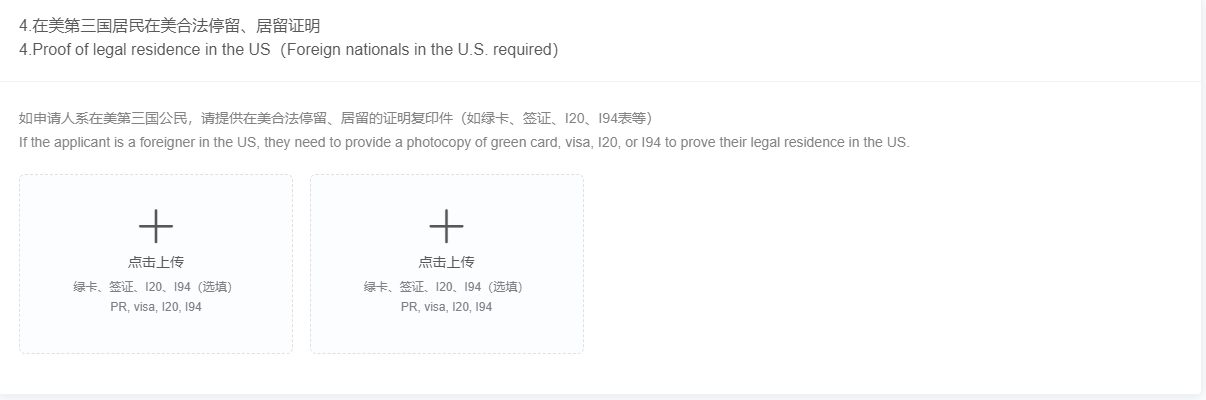
4.如申请人为在美第三国公民,需按要求上传在美合法停留、居留证明。
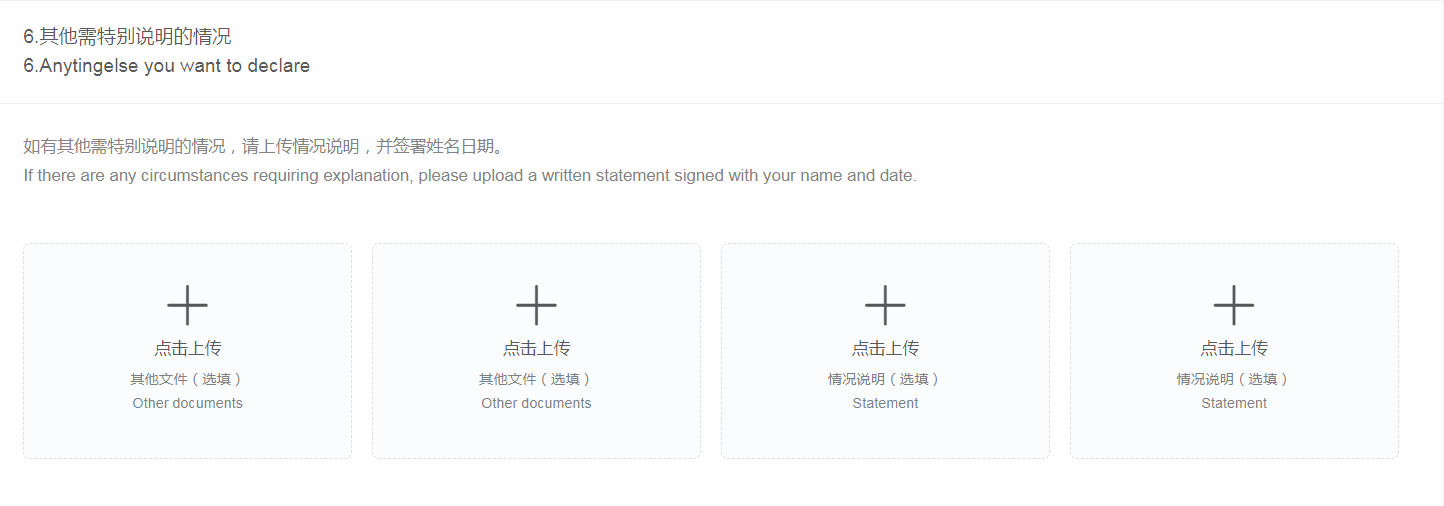
5.如有其他需特别说明的情况、或使馆审核后续请您补充的材料,请在【其他需特别说明的情况】栏目下上传。
(11) Information confirmation
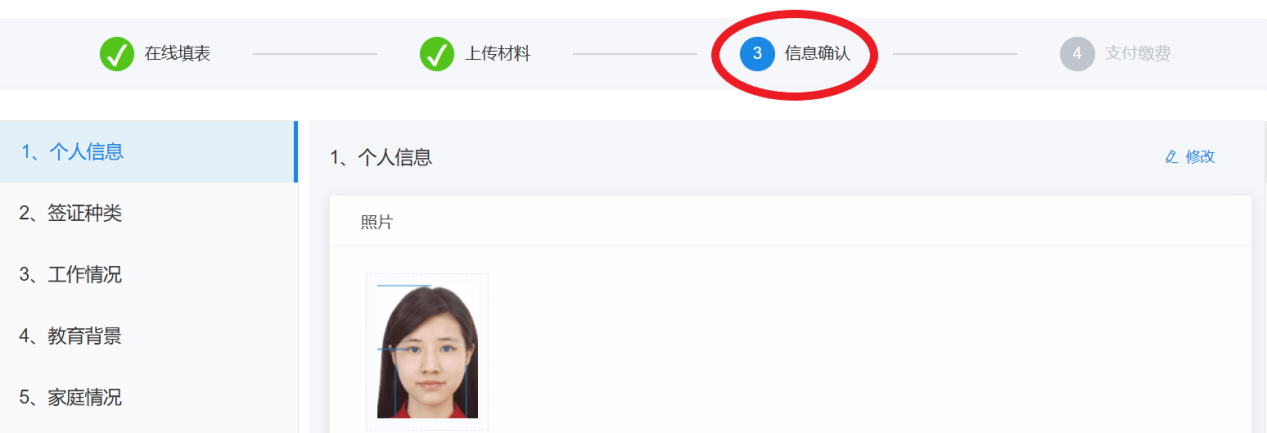
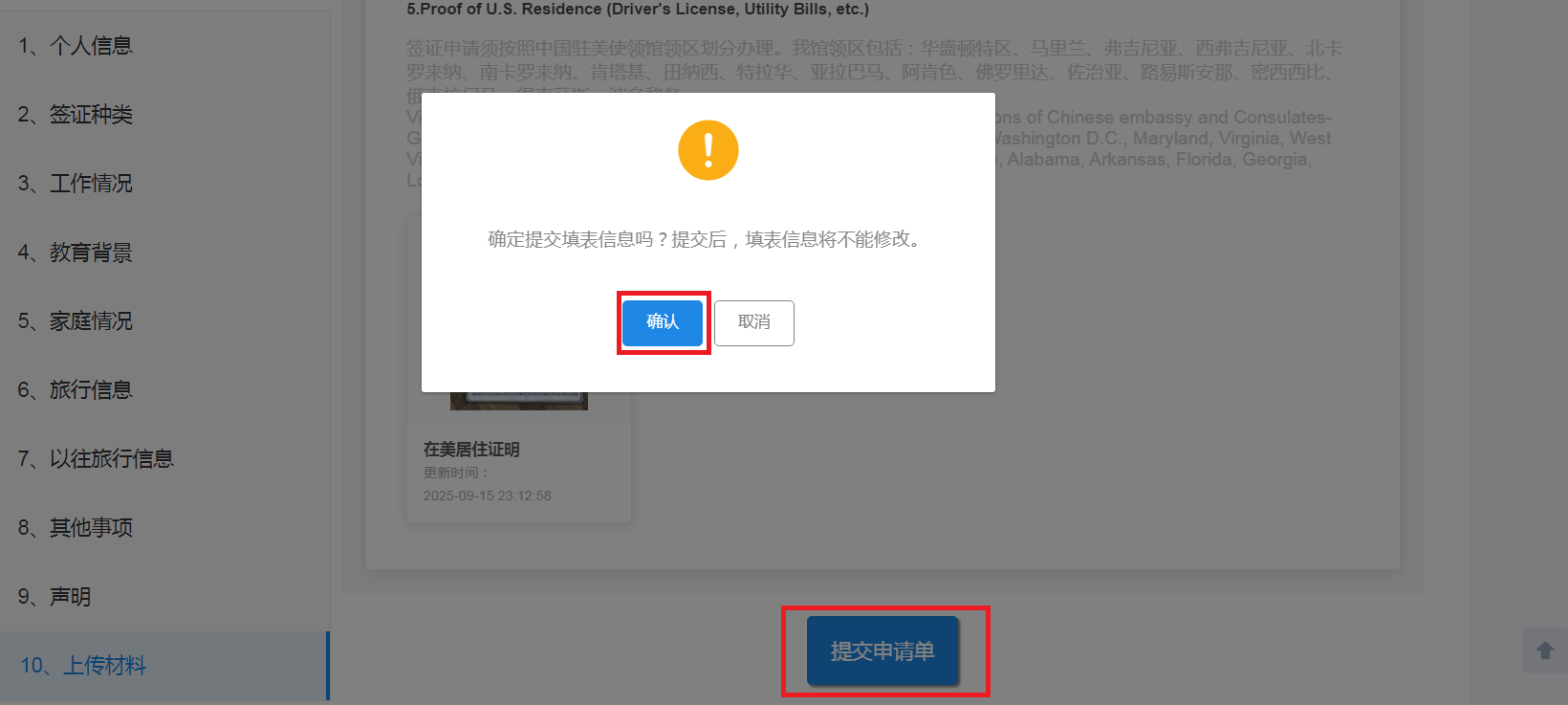
After completing the material upload, click [Next] to enter the information confirmation link, where you can browse and review the filled information and upload materials. To make changes, click the [Modify] button at the top right of the page. After confirming that it is correct, click [Submit Request Form]. Please be sure to check the information carefully, and the information filled in the form cannot be modified after submission.
3. Online review and on-site processing
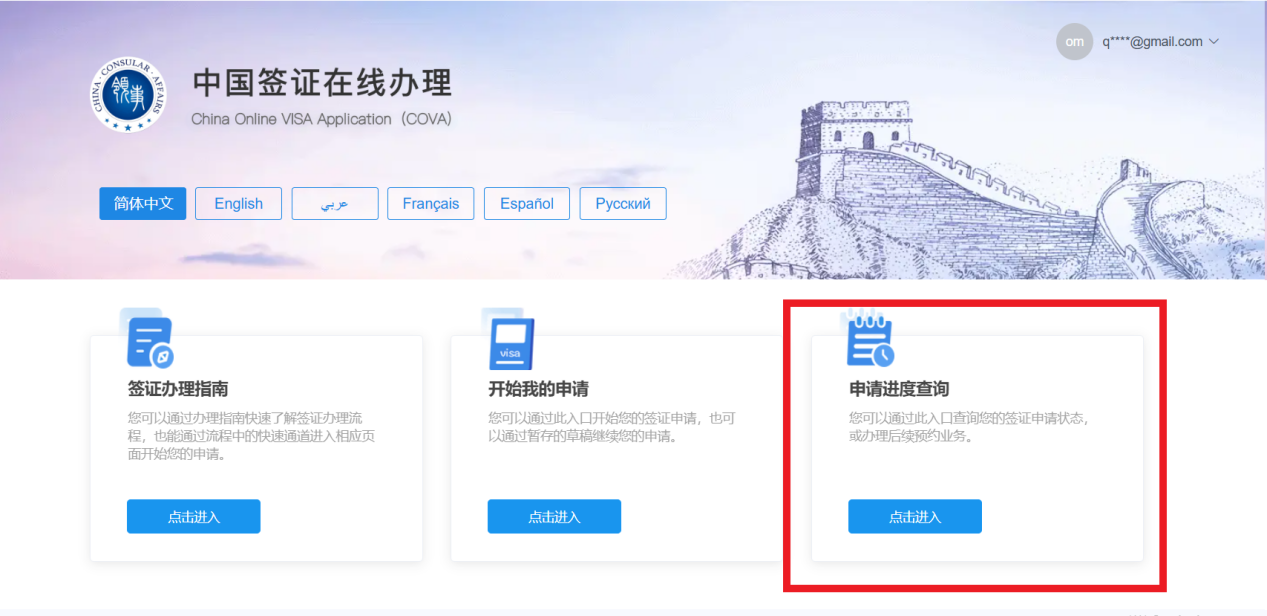
After the application form is submitted, it will enter the preliminary review process, and the embassy staff will conduct an online review. You can check the order review progress in real time through the "Application Progress Inquiry" function on the system homepage.
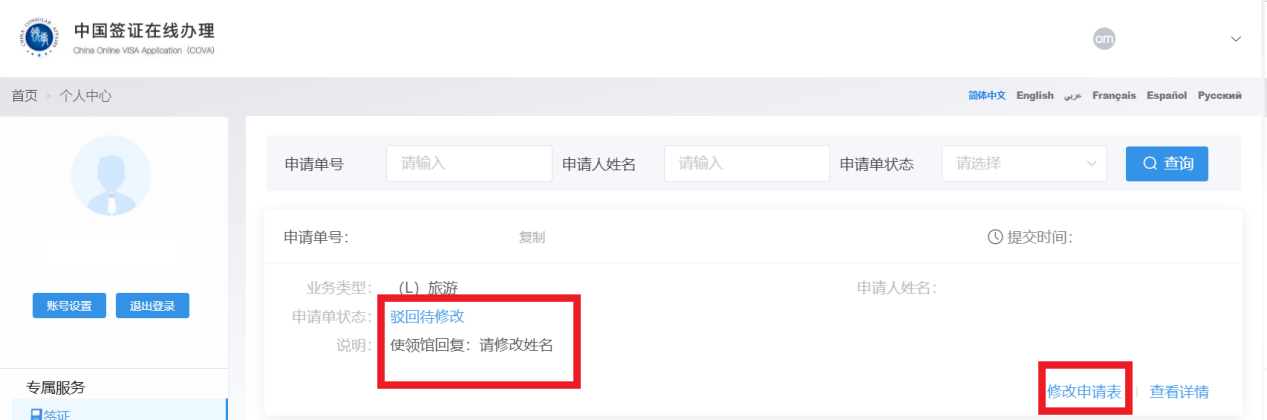
If the submitted order does not meet the application requirements or requires additional materials, the consular staff will reject the application and the status of the application will be changed to [Rejected to be modified]. Please revise the supplementary application materials in a timely manner according to the reply of the embassy or consulate to avoid delays in the review progress due to failure to supplement the materials in time.
After the order is preliminarily reviewed, the order status will be displayed as "Passport to be Submitted", and the applicant or agent needs to go to the consular document hall of the Embassy in the United States (please click to view the address) to submit the original passport, a screenshot of the order information page with a barcode, and some original materials that need to be verified on site (please). Click to view the on-site submission requirements).
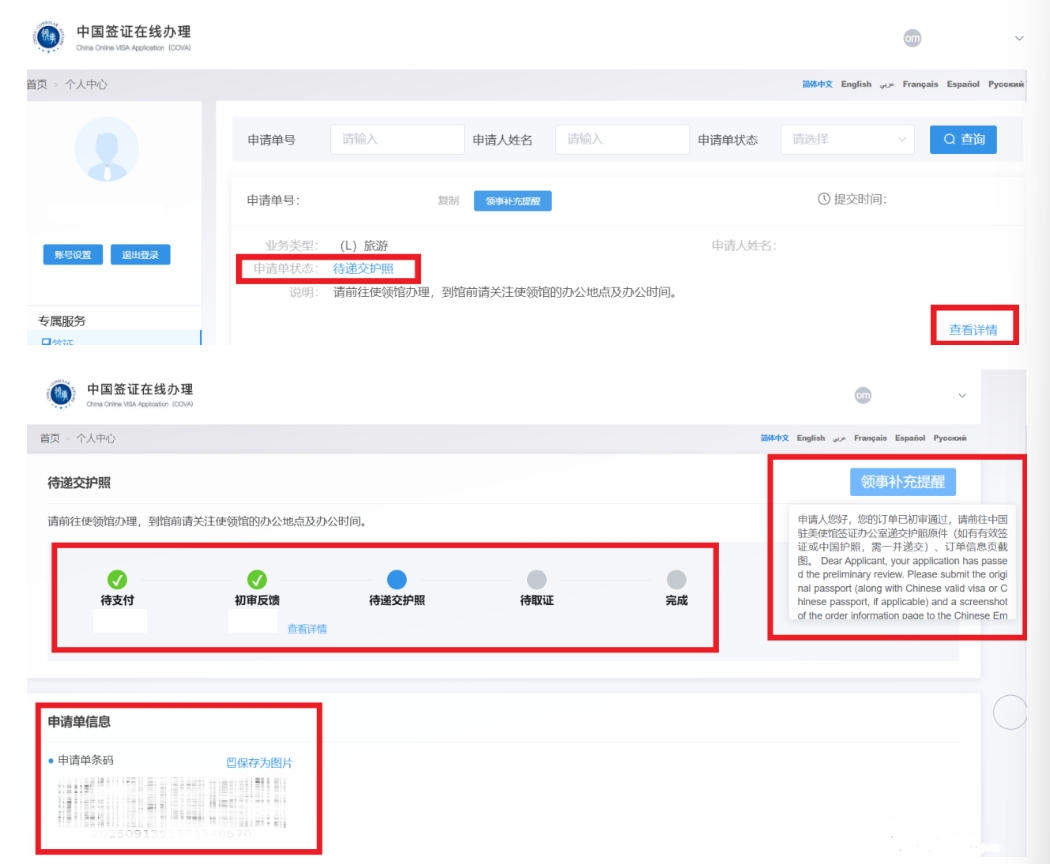
Please note: Passing the online review does not mean that the visa application is approved. Consular officers may require an on-site interview with the applicant or supplementary documents, and some visa applications may take longer depending on the case.